
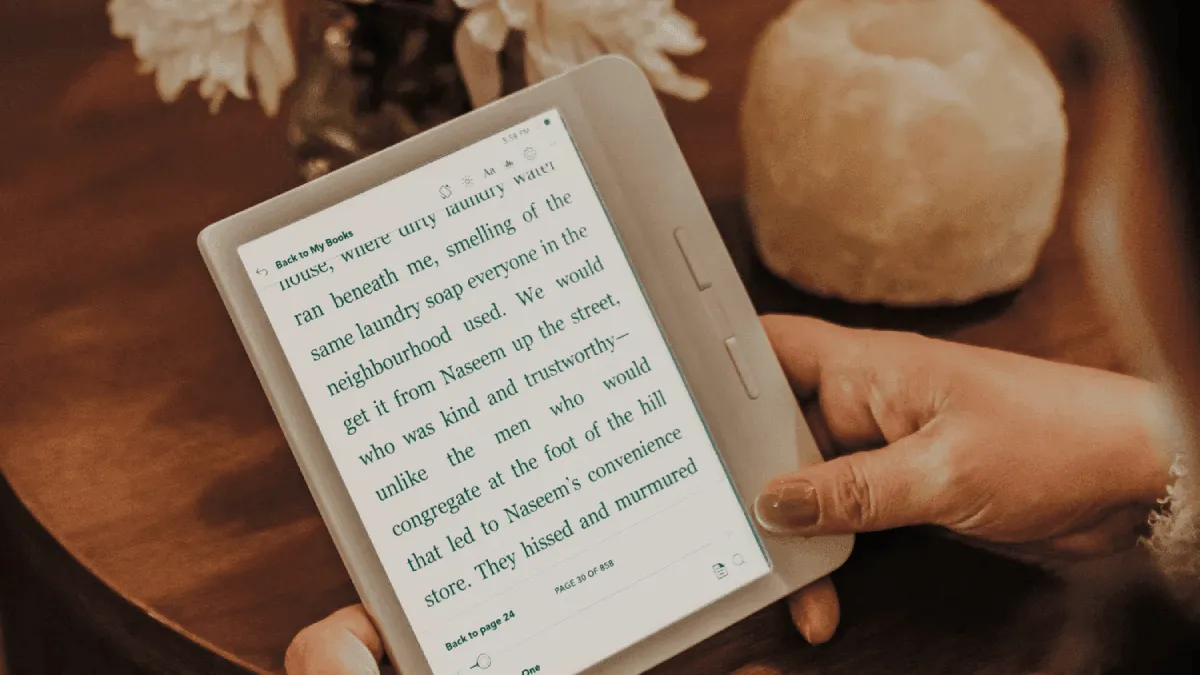
I did not buy a Kobo for the reading stats. I bought it because I wanted hardware page-turn buttons and a warm light that did not lock me into Amazon’s ecosystem. But a few weeks in, I stumbled onto the stats page, and now I check it like a fitness tracker. It is genuinely one of the best features Kobo has — and Amazon still has not copied it.
You will find reading stats tucked away in My Books, under the three-dot menu in the top-right corner. Tap Reading Stats and suddenly you are looking at a dashboard of your entire reading life. I was honestly surprised by how detailed it gets.
What Kobo tracks
The big number at the top is hours read — total accumulated reading time across all books on the device. It is humbling and slightly addictive. I average around an hour a day, and seeing that number climb over weeks and months makes reading feel tangible in a way I did not expect. Your brain knows you read a lot; the stats page proves it.
There is also a reading speed estimate, calculated from your page-turn cadence. Kobo measures the time between page turns and extrapolates words per minute. It is not scientific — it cannot tell if you are skimming or staring at a single paragraph for ten minutes — but it is directionally accurate. I have watched mine tick up from around 220 words per minute to closer to 280 over a year of consistent reading, and that slow improvement is weirdly satisfying. If you are curious about your own pace, the stat updates continuously and you can see how different genres affect it (I read fiction about 20% faster than nonfiction).
The books finished counter had a bigger effect on me than I would like to admit. Seeing a flat number — “you finished 23 books this year” — made me more intentional about finishing what I start. Before the stats existed, I would abandon books halfway through and never think about it. Now there is a quiet accountability. The counter distinguishes between books you have completed and books you are actively reading, and it also tracks total pages turned across all books. The page count is not based on some arbitrary standard; it uses the publisher’s page numbers when available and falls back to Kobo’s own pagination algorithm.
Beyond the headline numbers, Kobo gives you a breakdown by reading session. It shows how long your average session lasts, what time of day you read most, and a calendar view of which days you opened a book. This is where the data gets genuinely useful — you might discover that you read twice as much on weekday mornings as you thought, or that you barely crack a book open on Saturdays and could use that time better.
The reading streak tracker is the gamification layer. Kobo shows how many consecutive days you have read and keeps a historical record of your longest streak. I had a 47-day streak going last summer, and letting it lapse felt worse than breaking a Duolingo streak. You can set a daily reading goal (minutes per day) and Kobo will nudge you when you are close, which is either motivating or annoying depending on your personality. I keep the goal low — 15 minutes — so hitting it feels easy and exceeding it feels like a bonus.
A less obvious but useful feature is the book-specific stats page. Open any book from your library, tap the three-dot menu, and select “Reading Stats” for that title alone. You will see total time spent on the book, average session length, your reading speed for that specific book, and an estimated time to finish based on your current pace. The estimated finish time updates as you go, which is great for planning — I often check it before bed to decide whether I can reasonably finish a chapter or should just go to sleep.
How to access and interpret the data
The main stats dashboard lives at My Books → ⋮ → Reading Stats. It defaults to the current month but you can swipe left and right to see historical months. The layout is designed for quick scanning: large numbers for the key metrics, a horizontal bar chart for monthly reading hours, and a simple line graph for reading speed trends.
The data is stored locally on the device itself. If you own multiple Kobos, the stats do not sync between them — each device tracks its own reading independently. This is a double-edged sword: it keeps your data private by default, but it means you lose everything if you factory-reset the device without backing up. Kobo does back up reading position and annotations to your Kobo account, but the stats database lives on the device’s internal storage.
Comparing Kobo stats with Kindle
What kills me is that Kindle still does not have anything close to this. Amazon owns Goodreads and they have had years to build in proper reading analytics, but the best you get is a streak counter buried in the Kindle mobile app — not even on the e-reader itself. On a Kindle Paperwhite or Oasis, there is no built-in reading stats dashboard at all. You can see “time left in chapter” and “time left in book” while reading, but there is no cumulative view of your reading habits over time.
The Kindle app on iOS and Android does have a “Reading Insights” feature that tracks weeks read and books completed, but it only counts books read in the Kindle app — not on a physical Kindle device, unless the Kindle syncs its progress through Whispersync. Even then, the data is sparse compared to what Kobo offers natively.
Goodreads has a “reading challenge” feature and yearly stats, but it relies on you manually marking books as “currently reading” and “read.” It does not know how many hours you actually spent reading or what your pace was. Kobo’s stats are passive — they accumulate automatically just by using the device — which makes them far more accurate and far less work.
Privacy considerations
Because the reading stats database is stored locally on the device, Kobo (the company) does not have access to your detailed reading analytics unless you explicitly opt into data sharing. Kobo’s privacy policy states that they collect basic device usage metadata for product improvement, but the granular stats — exactly how fast you read, which hours you read, whether you finished that self-help book you bought in January — stay on your Kobo.
That said, the stats data is not encrypted on the device. If someone picks up your Kobo, they can open the stats page and see everything. There is no password or PIN protection on the stats view specifically. If you share a household Kobo or are gift-giving a used device, be aware that the next owner could potentially browse your reading history. A factory reset clears the stats database completely.
For the privacy-conscious reader, this is a better situation than Amazon’s ecosystem, where your reading behavior is server-side and feeds into Amazon’s recommendation and advertising algorithms by default. Kobo does not show ads on its lock screen (a huge quality-of-life win over ad-supported Kindles), and your reading habits are not monetized in the same way.
Using stats to improve reading habits
The stats dashboard is not just a novelty — it can actually change how you read. Here is what I have learned from a year of checking mine:
Set a floor, not a ceiling. If you give yourself a massive daily reading goal, you will ignore it. I set mine to 15 minutes. On busy days, 15 minutes is achievable — a few pages before sleep. On good days, I blow past it and feel great. The streak tracker reinforces the habit: once you have a 10-day streak going, you will open a book for five minutes rather than break it.
Read multiple books in parallel. Having a fiction book, a nonfiction book, and something light going at once means there is always a book that matches your energy level. Kobo tracks each book’s stats separately, so you can compare which books hold your attention (longer sessions, fewer abandoned mid-session) and which ones you are forcing yourself through.
Watch your speed trends. If your reading speed drops significantly on a particular book, it is not necessarily a bad thing — some books demand slower reading. But if it drops across every book for a sustained period, it might mean you are reading while distracted. The data gives you a baseline to notice deviations from.
Use estimated finish times to plan. Before starting a new book, glance at the average time you spend per session and the estimated total reading hours. A 12-hour novel at 30-minute daily sessions is a 24-day commitment. Knowing that upfront helps you decide whether to start it now or save it for a vacation.
Third-party tools that enhance Kobo stats
Kobo’s native stats are solid, but third-party tools can extend what is possible:
KOReader (which you can install on a Kobo without jailbreaking) has its own reading statistics module that goes deeper than Kobo’s built-in version. It tracks time spent on individual pages, gives you a calendar heatmap of reading activity (like a GitHub contribution graph), and exports data in machine-readable formats if you want to analyze it yourself. KOReader’s stats accumulate across devices if you sync the data folder, which Kobo’s native stats cannot do.
Kobo Utilities is a Calibre plugin that reads the Kobo database when the device is connected to your computer via USB. It can pull out your reading stats, back them up, and visualize trends in Calibre itself. This is useful if you want to archive your stats before a factory reset or if you want to view them on a bigger screen.
The Kobo database file lives at .kobo/KoboReader.sqlite on the device’s internal storage. It is a standard SQLite database, which means you can open it with any SQLite browser and query your own reading data directly. The content table holds book metadata, and the Activity table stores timestamps for each reading session. If you are comfortable with SQL, you can build your own custom dashboards and track whatever metrics you care about.
Bookly and StoryGraph are phone apps that let you manually log reading sessions. They are not Kobo-specific and require manual entry, but they produce beautiful visualizations and can track books across multiple devices and formats (Kobo, Kindle, physical books, audiobooks). If Kobo’s built-in stats feel limited and you do not want to mess with SQLite databases, these are the most polished alternatives.
For most people, Kobo’s built-in stats are more than enough. They are detailed, automatic, and private. The fact that Amazon still does not offer anything comparable on a Kindle device — after over a decade of Kindles and owning Goodreads since 2013 — is one of those quiet competitive failures that makes the Kobo ecosystem genuinely compelling.