
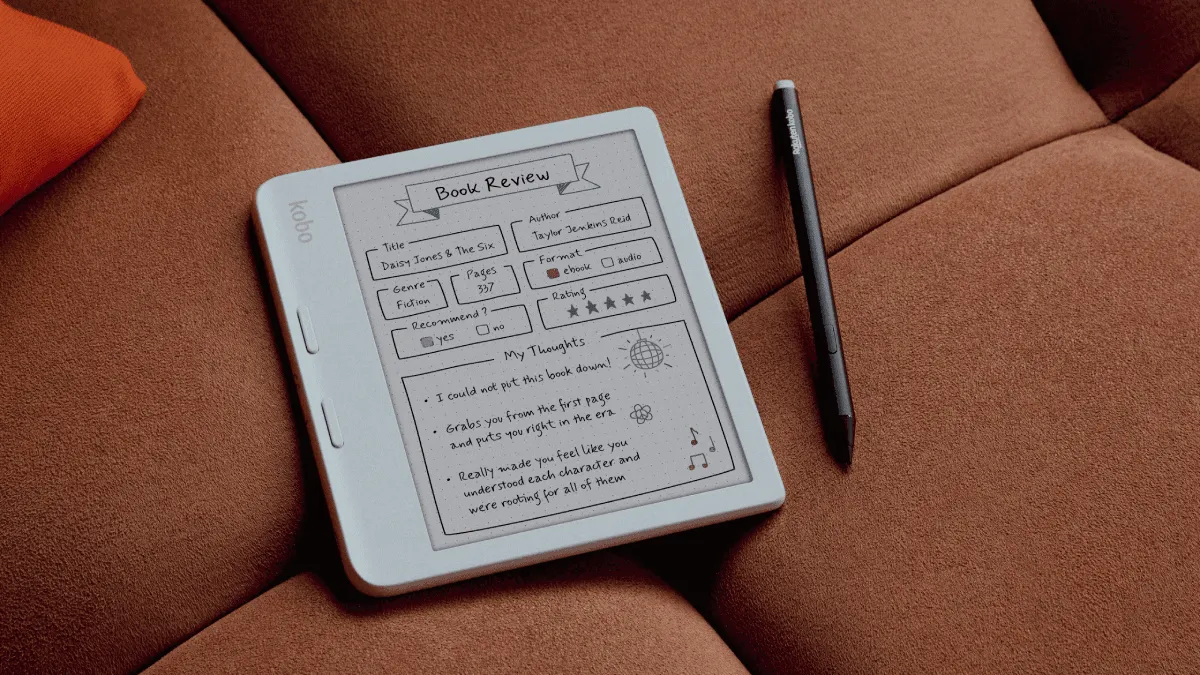
The Kindle Paperwhite (12th gen) and Kobo Clara BW are the two best 6-inch e-readers on the market in 2026. Both have 300 PPI Carta 1300 E Ink screens, both are IPX8 waterproof, both have warm light, and both cost around the same. Choosing between them comes down to ecosystem, library access, and small hardware details that matter more than the spec sheet suggests.
Quick Comparison
| Feature | Kindle Paperwhite 12th Gen | Kobo Clara BW |
|---|---|---|
| Screen | 6.8” E Ink Carta 1300, 300 PPI | 6” E Ink Carta 1300, 300 PPI |
| Warm Light | Yes | Yes |
| Waterproof | IPX8 | IPX8 |
| Storage | 16 GB | 16 GB |
| Weight | 205g | 174g |
| Battery | 10 weeks | 8 weeks (advertised) |
| USB-C | Yes | Yes |
| Library access | Libby (US only) | OverDrive (international) |
| Price | $149.99 | $129.99 |
Screen and Reading Experience
Both use the same Carta 1300 E Ink panel at 300 PPI, which means text sharpness is identical. The differences are physical: the Clara BW has a 6-inch screen in a smaller, lighter body, while the Paperwhite uses a 6.8-inch screen at a heavier 205g.
The Clara BW is noticeably lighter and more comfortable for one-handed reading over long sessions. At 174g, it disappears into a jacket pocket. The Paperwhite’s extra screen real estate means fewer page turns per book, but you pay for it in weight and bulk. For bedtime readers who hold the device for hours, the Clara BW’s weight advantage is significant.
Both have adjustable warm light (amber tone) for nighttime reading. The Paperwhite’s warm light gets slightly warmer at maximum setting, but the difference is marginal. Neither has an auto-adjusting sensor at the base model — you set brightness manually on both.
Library Books: The Deciding Factor
This is where the two devices diverge most sharply for many readers.
Kobo Clara BW: Built-in OverDrive integration works internationally. Browse your library’s collection directly on the device, borrow with one tap, and the book appears on your home screen. Works in the US, Canada, UK, Australia, New Zealand, and most European countries. No need to touch a phone or computer.
Kindle Paperwhite: Libby sends library books to Kindle, but only in the United States. If you live outside the US, you cannot read library ebooks on a Kindle. Inside the US, the process works: borrow in Libby app → “Send to Kindle” → book appears on device. It is one extra step but reliable.
For readers outside the US, this is the single biggest reason to choose Kobo over Kindle. The Kindle is a much less useful device without library access.
Sideloading and Format Support
Both devices handle sideloaded books well, but Kobo is more flexible.
Kobo natively reads EPUB, EPUB 3, PDF, MOBI, JPEG, GIF, PNG, BMP, TIFF, TXT, HTML, RTF, CBZ, and CBR. EPUBs work out of the box without conversion. Plug into a computer, drag an EPUB over, and it appears in the library with correct metadata and covers. For KEPUB (Kobo’s optimized EPUB variant that enables reading stats), use kepubify or Calibre’s Kobo Touch Extended plugin to convert on send.
Kindle natively reads AZW3, KFX, MOBI, PDF, and TXT. EPUBs must be converted before sideloading, either through Calibre or Send to Kindle. The Send to Kindle service converts EPUBs automatically and syncs reading position across devices via Whispersync. It works well, but the extra conversion step is friction that Kobo sidesteps entirely.
For readers with large existing EPUB libraries or those who buy from non-Amazon stores (Kobo store, Google Play Books, Humble Bundle), Kobo’s native EPUB support is a genuine advantage over Kindle’s conversion-dependent workflow.
Ecosystem
The Kindle ecosystem is deeper. Kindle Unlimited offers ~4 million titles for $11.99/month, heavily weighted toward indie genre fiction. Goodreads integration lets you share highlights, track reading, and update your currently-reading shelf directly from the device. Whispersync keeps reading position, highlights, and notes synced across all Kindle apps and devices. If you already own Kindle books, switching to Kobo means either abandoning them or going through the DRM removal process.
Kobo’s ecosystem is lighter but more open. Kobo Plus at $9.99/month has fewer titles but better international availability. Pocket integration saves web articles to the device for later reading — no extra app needed. No Goodreads-style social layer built in, though you can track reading stats within Kobo itself. The store accepts EPUB uploads for price matching and supports Adobe DRM for library books.
If you are already invested in Amazon’s ecosystem with years of purchased books, the Kindle is the path of least resistance. If you are starting fresh or prioritize openness, Kobo’s approach is more future-proof.
Build Quality and Design
The Paperwhite feels more premium. The flush-front screen (no bezel gap) and slightly textured back give it a higher-end feel. The Clara BW has a recessed screen with a raised bezel, which some readers prefer (easier to grip, less glare at the edges) but feels less modern.
The Clara BW’s power button is on the back, which takes getting used to. The Paperwhite’s is on the bottom edge, which is more conventional and easier to find by touch.
Which Should You Buy?
Buy the Kindle Paperwhite if:
- You live in the US and want Libby integration
- You already own Kindle ebooks
- You read Kindle Unlimited
- You want the larger 6.8-inch screen
- You value Goodreads integration
Buy the Kobo Clara BW if:
- You live outside the US and want library borrowing
- You have a large EPUB library
- You want native CBZ/CBR comic support
- You prefer a lighter, smaller device
- You want to read Pocket articles on an e-reader
The Clara BW at $129.99 is $20 cheaper than the Paperwhite and offers more format flexibility and better international library support. The Paperwhite justifies its premium with a larger screen, Kindle Unlimited, and a more polished ecosystem. Both are excellent — the choice comes down to where you live and what books you already own.
Frequently asked questions
Can I read Kindle books on a Kobo?
Not directly. Kindle books use Amazon DRM and only work on Kindle devices or the Kindle app. To read Kindle purchases on a Kobo, remove the DRM with Calibre, convert to EPUB, and sideload. This is technically possible but requires effort and is not officially supported.
Can I use Libby on a Kindle Paperwhite?
Yes, but only in the US. Libby sends library books to Kindle via Amazon's website. Outside the US, Libby ebooks cannot be delivered to Kindle. Kobo has built-in OverDrive integration internationally.
Which has better battery life?
Both last weeks with moderate use. The Paperwhite lasts slightly longer (10 weeks vs 8 weeks), but the difference is marginal. Both easily last a 2-week vacation on a single charge.
Is the Kobo Clara BW waterproof?
Yes, IPX8 rated. It withstands submersion in 2 meters of fresh water for 60 minutes, matching the Kindle Paperwhite. Both are safe for bath and pool reading.