
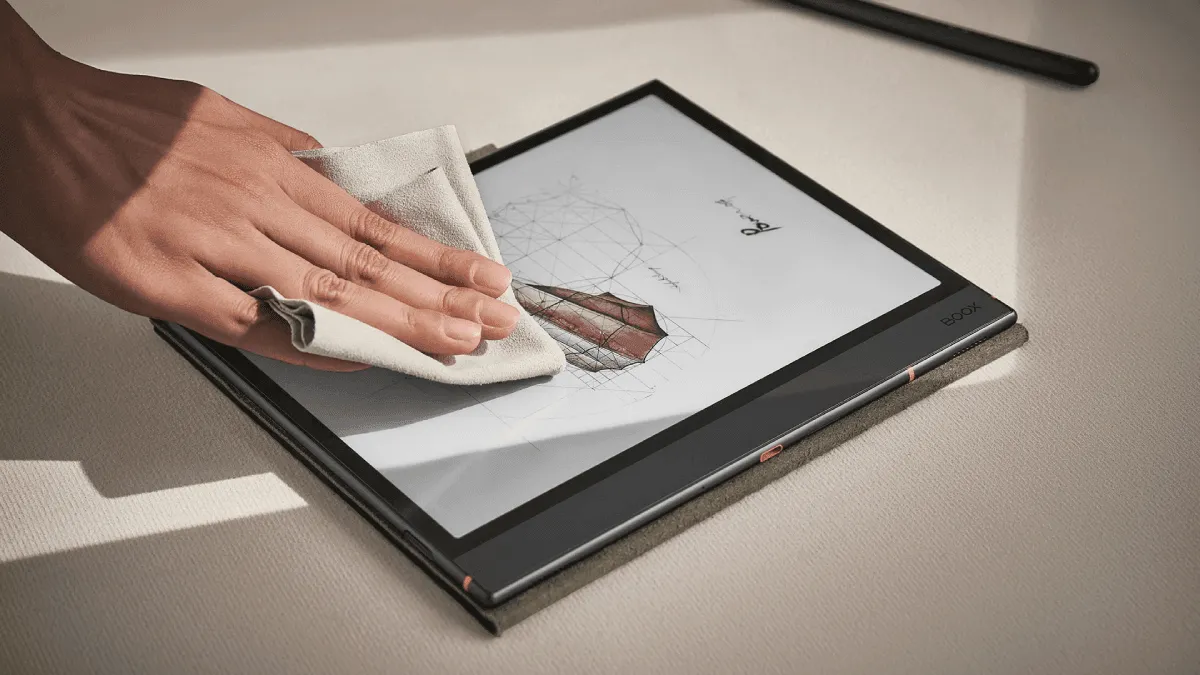
E-ink screens are fundamentally different from phone screens. The top layer is a thin plastic sheet — not glass, not Gorilla Glass — and it scratches far more easily than you’d expect. A single grain of sand in your bag can leave a permanent mark. Here’s how to keep a screen pristine.
What damages e-ink screens
Physical pressure (the #1 killer)
The screen substrate underneath the e-ink layer is a thin glass panel. Localized pressure — from keys in your bag, leaning on the device, or a corner impact — can crack the substrate without cracking the outer layer. You’ll see a frozen section of the display (black lines or dead pixels) with no visible external damage. This is the most common e-reader death.
Scratches (the #1 cosmetic damage)
The outer layer is softer than most people realize. A fingernail won’t scratch it, but sand, metal objects, and even the zipper on a sleeve case will. Once scratched, there’s no way to repair it — the scratch is permanent.
Chemicals
Windex, alcohol-based cleaners, and anything containing ammonia will cloud the matte finish over time. The screen is treated with an anti-glare coating that dissolves in harsh chemicals. Once gone, it doesn’t come back.
How to clean correctly
The right tools
- Microfiber cloth — The kind that comes with glasses. Nothing rougher.
- Distilled water — Tap water contains minerals that leave streaks. Distilled water doesn’t.
- That’s it. No sprays. No wipes. No liquids marketed as “screen cleaner.”
The right technique
- Power off the device first. Smudges are easier to see on a dark screen, but liquid + powered electronics is bad.
- Dampen a corner of the microfiber cloth with distilled water. Damp, not wet. If you can squeeze water out of it, it’s too wet.
- Wipe in one direction — left to right or top to bottom. Circular motions just redistribute oil.
- Dry immediately with the dry part of the cloth.
- Wait 30 seconds before turning the screen back on.
That’s the entire cleaning process. Five steps, 30 seconds, zero products to buy.
Should you use a screen protector?
The case for: Adds a sacrificial layer. Scratches hit the protector, not the screen. Replaceable for $5-10.
The case against: Adds glare. The matte finish on e-ink screens is 90% of what makes them readable. A glossy screen protector ruins this. Even matte protectors add a slight haze that reduces contrast.
Verdict: Only use a screen protector if you frequently take an e-reader to the beach, on hikes, or anywhere with sand and grit. For indoor and bag-based transport, a good case is sufficient protection.
Case recommendations by scenario
For bags and backpacks: A sleeve case that fully encloses the device. The Kindle and Kobo official fabric sleeves are good. Third-party felt sleeves from Etsy are better — softer interior, no zipper to scratch.
For one-handed reading: A silicone back-only case with a pop socket or Love Handle. Adds grip without covering the screen. The tradeoff: zero screen protection when not in use.
For maximum protection: A folio case with a rigid front cover. Amazon’s official leather and fabric cases are good but overpriced. Third-party options from Fintie and MoKo on Amazon are 80% as good for 20% of the price.
For travel: The folio case. It protects the screen from pressure damage in transit, which is the most common way e-readers die.
What to do if you already have a scratch
If the scratch is shallow (can’t feel it with your fingernail): ignore it. You’ll stop noticing it after a week. The matte finish makes shallow scratches nearly invisible when the backlight is on.
If the scratch is deep (you can feel it): there’s no fix. Screen replacements for Kindles and Kobos cost $60-120 from third-party repair services. For budget devices like the $100 Kindle Basic, the replacement cost often exceeds the device value — buy a new one and use the old one as a dedicated travel beater.
If the screen has black lines or frozen sections: the substrate is cracked. The e-ink panel has failed. There is no repair — you need a replacement device. Screen protectors don’t prevent substrate cracks; only a rigid case does.
Cleaning supplies: what works and what destroys
Not all cleaning products are created equal, and some that look harmless cause irreversible damage to e-ink panels. Here’s a direct comparison based on what I’ve tried (and what I regret trying):
| Product | Safe? | Result | Notes |
|---|---|---|---|
| Distilled water + microfiber cloth | ✅ Yes | Streak-free, no residue | The gold standard. Costs pennies per use. |
| Tap water + microfiber cloth | ⚠️ Mostly | Leaves mineral streaks on dark backgrounds | Fine in a pinch if your tap water is soft. If you see white residue afterwards, re-clean with distilled. |
| Isopropyl alcohol (70% or higher) | ❌ No | Clouds anti-glare coating over 3–5 uses | The most common mistake. Alcohol dissolves the matte finish layer. After the first few uses nothing visible happens, which tricks people into thinking it’s safe. By the 10th cleaning, the screen has permanent shiny patches. |
| Windex / glass cleaner | ❌ Absolutely not | Strips coating on first contact | Contains ammonia and alcohol. One use will leave the screen with a glossy, uneven sheen that cannot be reversed. |
| Lens wipes (pre-moistened) | ❌ No | Same as alcohol — gradual coating damage | Most contain isopropyl alcohol. Check the ingredients. The only safe pre-moistened wipes are Zeiss lens wipes labeled “alcohol-free” — and those are hard to find. |
| Screen cleaning sprays marketed for “LCD/LED” | ❌ No | Variable but usually damaging | These are formulated for glass screens with oleophobic coatings, not for matte plastic e-ink surfaces. The solvents are too aggressive. |
| Dry microfiber cloth | ✅ Yes | Removes dust and light fingerprints | Best for daily maintenance. Doesn’t handle oil smudges from fingers, but prevents them from building up. |
| Compressed air | ✅ Yes | Removes dust from bezel gaps | Safe for the screen. Keep the can upright to avoid propellant discharge. Don’t use on a wet screen. |
What to absolutely never use
Beyond the table above, a few items deserve special mention because they show up in “cleaning hacks” online and will permanently damage an e-ink screen:
- Paper towels, tissues, toilet paper. These are made of wood pulp fibers that are microscopically abrasive. They leave fine scratches that build up over time. You won’t see them after one use, but after a year, the screen will look hazy.
- Your shirt. Cotton and polyester blends trap dust and grit particles. Rubbing your shirt on the screen grinds those particles into the plastic surface. This is how most long-term microscratches happen.
- Baby wipes. They contain moisturizers (oils), fragrances, and often mild detergents. The oils leave a film that attracts more dust. The surfactants degrade the anti-glare coating.
- Vinegar. Acidic enough to etch the matte coating over repeated use. Also leaves a persistent smell in the device’s bezel.
- Magic Eraser / melamine sponges. These are ultra-fine sandpaper. They will strip the matte finish in seconds. I’ve seen a Reddit post where someone “restored” a Kindle screen this way and ended up with a glossy mirror instead of a reading device.
Screen protector: deeper pros and cons
I covered the brief case for and against earlier, but the decision deserves more nuance because the “matte screen protector” market has improved substantially.
When a screen protector makes sense
- Beach reading. Sand is harder than the plastic top layer (Mohs hardness ~3 vs. quartz sand at ~7). One grain ground into the screen under the weight of a bag or hand will leave a permanent scratch. A $8 matte protector is disposable insurance.
- Children’s devices. Kids don’t think about screen safety. A protector absorbs the abuse — crayon marks, sticky fingers, toy impacts — and gets replaced every few months.
- Stylus-heavy users (reMarkable, Kindle Scribe, Boox Note). The stylus nib itself won’t scratch the screen (plastic on plastic), but dust trapped between the nib and the screen will. A protector adds a replaceable wear layer.
- Resale value. A pristine screen commands a $20–40 premium on eBay and Swappa. A scratched one doesn’t. If you upgrade every generation, a protector pays for itself several times over.
When to skip it
- Dedicated indoor reading. If your device lives on a nightstand or in a sleeve case and never encounters grit, a protector adds no value while degrading contrast.
- Devices with factory-etched matte glass (reMarkable Paper Pro, Boox Tab Ultra C Pro). These screens use a textured glass surface that a plastic protector can’t adhere to properly. The protector will bubble at the edges and peel within weeks.
- Sunken-screen devices (Kindle Basic 10th gen and earlier, older Kobos). The recessed bezel already provides mechanical protection. A protector adds glare and reduces the perceived screen depth.
Recommended matte protectors (tried and tested)
Not all matte protectors are equal. The cheap no-name packs on Amazon (6 for $7) use low-grade PET that adds a visible sparkle effect — tiny prismatic dots that scatter light and reduce sharpness. I recommend spending slightly more:
- Brotect Matte (Germany) — Ships precision-cut for every Kindle and Kobo model. The matte finish is nearly indistinguishable from the bare screen. ~$12 each.
- Moko Matte — Good budget option. Slightly more haze than Brotect but half the price. Acceptable for most users.
- Healing Shield (Japan) — Premium option with a self-healing top layer that closes minor scratches over 24 hours. Expensive (~$25) but lasts years.
Scratch repair myths
If you’ve already scratched your screen, you’ve probably searched for fixes. Let me save you time and potential damage by debunking the most common claims:
- “Toothpaste fills scratches.” False. Toothpaste is a mild abrasive — it works on polycarbonate watch crystals by polishing down the surrounding surface to the level of the scratch. On an e-ink screen, this strips the anti-glare coating and creates a glossy polished spot that’s more distracting than the original scratch.
- “Car wax or plastic polish hides scratches.” Temporarily. These products fill scratches with a clear compound that refracts light similarly to the plastic surface. It works for a few days, then the compound dries, shrinks, and the scratch reappears. Each reapplication introduces more chemicals to the screen.
- “Screen protector over a scratch makes it invisible.” Partially true. Applying a matte protector over a shallow scratch can reduce its visibility because the adhesive fills the gap. It won’t work on deep scratches (ones you can feel with a fingernail). If you’re going this route, use a wet-application protector (the kind installed with a spray solution) — the liquid helps fill micro-scratches better than dry-application films.
- “Polywatch or plastic polish kits work.” These are formulated for acrylic watch crystals, not for the thin polycarbonate top layer on e-ink panels. They’re too aggressive and will create a permanent hazy patch.
The honest answer: Shallow scratches become invisible within a week of regular reading because your brain tunes them out (just like it tunes out the dust on your glasses). Deep scratches are permanent. Save your money.
Further reading
- E-reader screen protector recommendations — Model-specific protector recommendations with installation walkthroughs.
- Complete e-reader maintenance guide — Covers everything from cleaning to storage to battery care for long-term device health.
- E-reader accessories guide — Cases, stands, page-turners, and sleeves that complement a screen protection strategy.