
I’ve had the same Kobo for over three years now, and honestly, it still runs like new. That’s not luck — e-readers are tanks if you treat them right. But there are a few things I’ve learned the hard way that make a real difference.
This guide covers everything you need to keep an e-reader healthy across years of daily use, from cleaning routines to battery habits and seasonal care. Whether you own a Kindle, Kobo, BOOX, or PocketBook, these principles apply.
Cleaning routine
Cleaning the screen should be the simplest thing in the world, but I see people mess it up constantly. All you need is a microfiber cloth — the same kind you’d use for glasses. Maybe a tiny drop of distilled water if there’s a stubborn smudge. That’s it. No alcohol. No Windex. No paper towels. Alcohol breaks down the anti-glare coating over time, and paper towels leave micro-scratches you’ll notice under direct light. I keep a small microfiber cloth in my e-reader sleeve and give the screen a quick wipe every few days. Takes five seconds.
The rest of the device deserves attention too. The body and edges collect oils from your hands, especially on matte-finish models like the Kobo Clara BW and Kindle Basic. A slightly damp microfiber cloth handles this — I wipe the bezels and back every couple of weeks. For textured backs like the Kindle Paperwhite’s soft-touch finish, a dry toothbrush works brilliantly for dislodging dust from the texture grooves. Don’t laugh — it’s the same trick people use on matte laptop keyboards.
The USB port lint problem is something nobody warns you about. After a year or so, pocket lint and dust pack into the charging port, and suddenly your cable won’t seat properly. The e-reader stops charging and you assume the battery’s dead. Before panicking, grab a wooden toothpick (never metal) and gently scrape around inside the port. The amount of compacted lint that comes out is shocking. I do this every few months now, and I’ve never had a charging issue since. On waterproof models, check that the port cover seal (if present) isn’t cracking — a compromised seal can let moisture in, voiding that IPX8 rating you paid for.
Battery care for longevity
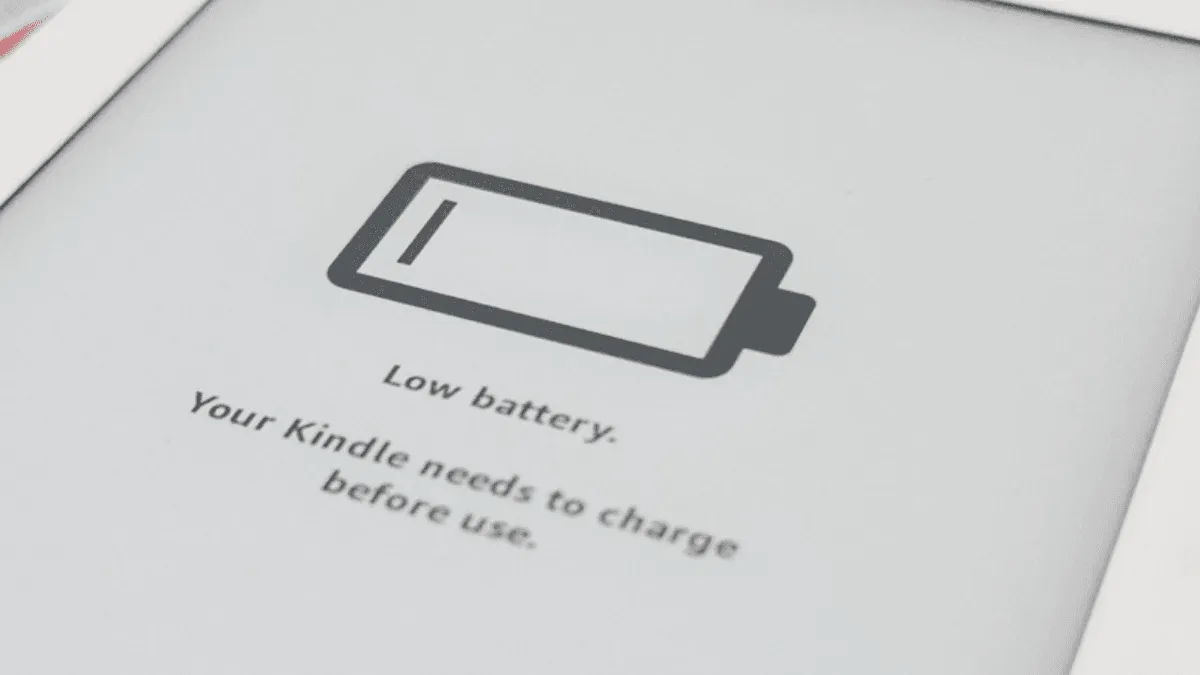
Battery storage matters more than people think. If you’re shelving an e-reader for a few months — say, after a reading slump or before a move — charge it to around 40–80%. Do not leave it at 0% and do not leave it plugged in at 100% for weeks. Lithium batteries degrade fastest at the extremes. I learned this the expensive way with an old Kindle that sat dead in a drawer for six months and never held a charge again.
Daily charging habits also affect long-term battery health. Contrary to old advice, modern lithium batteries don’t need deep discharge cycles. Topping up from 30% to 80% is actually healthier than running it down to zero and doing a full charge. I plug my Kobo in when it hits around 20%, charge it to about 80-90%, and unplug. That gets me roughly a month of daily reading, and the battery stays happy.
Use the charger that came with the device, or at minimum a quality brand-name USB adapter. Cheap gas-station chargers deliver inconsistent voltage and can damage the charging circuit over time. The same goes for cables — frayed or bargain cables are a false economy. A $10 Anker cable is insurance against a $150 screen replacement. If your e-reader supports USB-C (most 2023+ models do), count yourself lucky — USB-C is far more durable than Micro-USB and charges noticeably faster.
Storage tips
When an e-reader isn’t in active use, don’t just toss it in a drawer. Keep it in a sleeve or case — something rigid that prevents pressure on the screen. The e-ink substrate underneath the display is a thin glass panel, and sustained pressure from books stacked on top or keys wedged against the screen can crack it without any visible external damage. A $10 neoprene sleeve prevents a $150 repair.
Temperature is the silent killer. Don’t store an e-reader in an attic, a garage, or a car glovebox. Extreme heat degrades the battery and can warp the plastic housing. Extreme cold temporarily kills battery performance and, in rare cases, can cause condensation when the device warms back up. A cool, dry interior spot — a bookshelf or nightstand drawer — is ideal.
Software maintenance
Firmware updates are a coin toss. New features are nice, but I’ve had updates introduce bugs that weren’t there before — slower page turns, WiFi drops, you name it. My rule: wait a week or two after a firmware release, check forums to see if people are complaining, then decide. Kobo makes it easy to sideload older firmware if you need to roll back, which is more than I can say for some other brands. BOOX devices, since they run Android, also benefit from periodic app updates through the Play Store — but keep those on manual rather than auto-update so you can vet them first.
A factory reset is the nuclear option, but it works. If your e-reader is sluggish, crashing, or behaving weirdly after a firmware update, back up your books and sideloaded content first — a reset wipes everything. Then perform the reset through the Settings menu. On most devices, this takes about 5-10 minutes. It’s surprising how often a clean slate resolves persistent software gremlins. I do this about once every 18 months on devices I use heavily.
For devices that store books on internal memory, don’t fill them to capacity. E-readers need breathing room for indexing, firmware updates, and temporary files. I aim to leave 2-3GB free — enough for the OS to operate without thrashing. On a 16GB device, that’s about 10-12GB of content, which is still thousands of books.
When to replace vs. repair
One last thing: if you’ve got an older e-reader, you might notice the screen developing a yellowish tint around the edges. That’s the adhesive layer between the e-ink panel and the front light diffuser aging. It’s cosmetic and doesn’t affect functionality, but it does get worse with heat exposure. Keep a device out of direct sunlight and hot cars, and it’ll stay crisp for years.
So when should you actually replace an e-reader? Battery replacement is worth it if the device is otherwise fine — third-party services charge $30-60 for a Kindle or Kobo battery swap. If the screen is cracked or has dead lines, a replacement is almost never worth the cost. A new screen assembly often costs 70-90% of a new device. If the battery is shot and the screen is aging, it’s time to retire the device. Use it as a trade-in (Amazon gives 20% off a new Kindle plus a gift card) or keep it as a dedicated travel beater.
Seasonal care
Summer means heat, sand, and water. If you’re reading poolside or at the beach, a waterproof device (IPX8) is non-negotiable — the Kindle Paperwhite, Kobo Clara BW, and most BOOX models have it. Keep the device in the shade when not actively reading; direct sun on a black bezel heats it up faster than you think. Sand is particularly brutal — a single grain under a case can scratch the screen, so shake out your case after beach trips.
Winter brings its own challenges. E-ink displays slow down in the cold. Page turns become sluggish below 5°C (41°F) and the battery percentage can drop precipitously. This is normal and temporary — the device recovers once it warms up. Don’t charge a cold device; condensation inside the charging port can short things out. Let it come to room temperature for 30 minutes before plugging in.
Humidity is the stealth issue. Most modern e-readers are humidity-resistant (not the same as waterproof), but prolonged exposure to high humidity — think bathroom reading during long showers — can fog the front light diffuser layer from the inside. It’s rare, but I’ve seen it happen. A dry environment is your friend.
Per-device quick tips
- Kindle Paperwhite / Signature Edition: The wireless charging coil (Signature) adds a little heat during charging. Don’t leave it on the pad indefinitely — pull it off once charged.
- Kobo Libra Colour / Sage: The recessed screen design traps less dust than flush screens, but the page-turn buttons can get gummy. A dry cotton swab around the button edges every few months keeps them crisp.
- BOOX (Android models): Apps running in the background chew through standby battery. Go into App Manager and freeze anything you don’t actively use. The E-Ink Center’s refresh mode (Regal vs. Speed) is your friend for balancing clarity and responsiveness.
- PocketBook: The microSD slot is a magnet for dust if left open. If you’re not using a card, keep a dummy card in the slot or tape over it. Also, PocketBook’s built-in TTS drains the battery faster than page-turning — treat it like audio playback, not e-reading, in terms of charging expectations.
These devices are built to last. A little care goes a long way.