
E-readers are remarkably durable devices. No moving parts, no glass LCD to crack, batteries that last weeks, and E Ink screens that shrug off the kind of abuse that would destroy a phone. But they are not indestructible, and a few simple maintenance habits can keep a device working perfectly for five years or more.
Here is how to care for an e-reader, regardless of brand.
Cleaning the Screen (The Right Way)
The screen is the part you touch most, and it collects fingerprints, dust, and the occasional coffee splatter. Cleaning it safely:
- Turn off the device (or put it to sleep). A dark screen makes smudges more visible.
- Use a dry microfiber cloth — the kind that comes with eyeglasses. Gently wipe in a circular motion. Most smudges come off with dry wiping alone.
- For stubborn marks, slightly dampen a corner of the microfiber cloth with distilled water. Do not spray water directly on the screen. Wipe gently, then immediately dry with the dry part of the cloth.
- Never use: Windex, alcohol, ammonia-based cleaners, paper towels (they can scratch), or your shirt (body oils transfer to the screen).
The anti-glare coating on E Ink screens is delicate. Once damaged, there is no way to restore it — the screen will develop a cloudy or streaky appearance that is visible when the backlight is on.
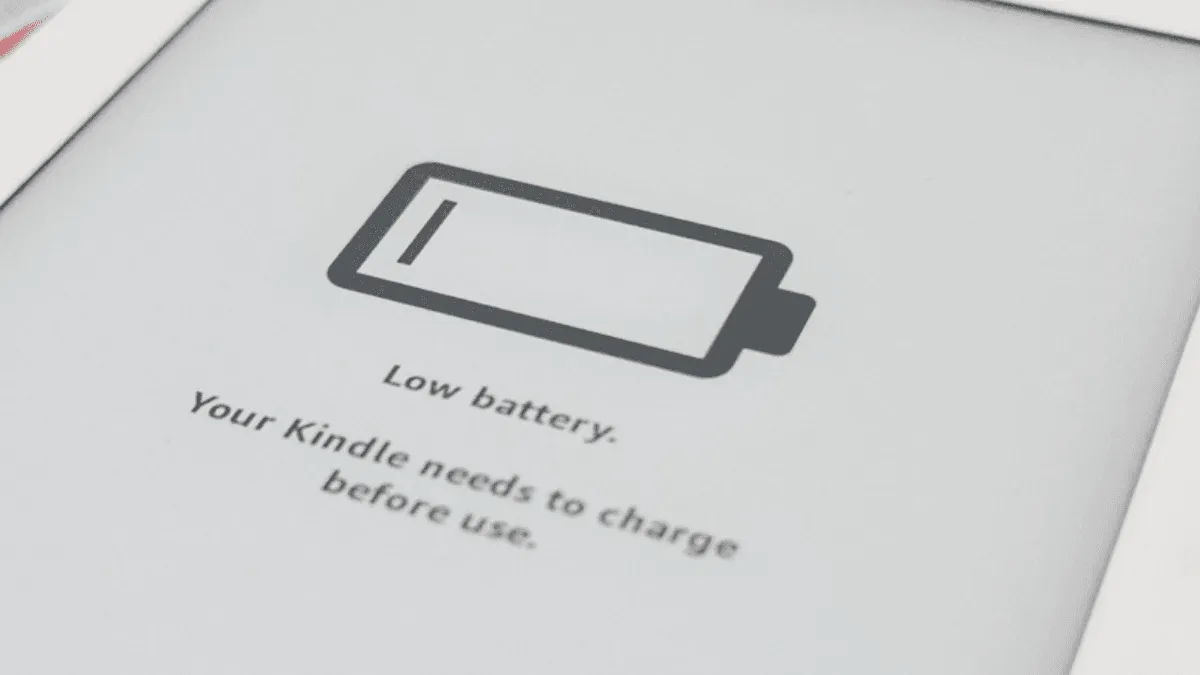
Battery Care for Longevity
Lithium-ion batteries degrade with time, not just use, and how you charge them affects how fast they degrade:
- Do not drain to 0% regularly. Deep discharges stress the battery. Charge when the device drops to 20%.
- Unplug when full. Leaving the device plugged in at 100% for extended periods accelerates degradation.
- For long-term storage: Charge to about 50%, power off completely, and store in a cool, dry place. Check and recharge to 50% every 3-4 months.
- Temperature matters: Batteries degrade faster in heat. Do not leave an e-reader in a hot car.
A well-maintained e-reader battery should last 3-5 years before capacity drops noticeably. When the device that used to last 6 weeks now lasts 2 weeks on a full charge, the battery is nearing the end of its useful life.
Screen Protection
E Ink screens are more durable than LCDs — the screen itself is a thin layer of microcapsules sandwiched between plastic, not glass. But the substrate (the layer underneath) can crack under pressure. A sharp impact to a specific point (like a key pressing against the screen in a bag) can break the substrate and create a permanent dead spot or line.
A case with a rigid front cover is cheap insurance. For devices that live in bags with keys, pens, and other hard objects, a sleeve or folio case prevents the most common cause of screen damage: pressure points. Screen protectors add a layer of scratch resistance but do not prevent pressure cracks from impacts.
If you use an e-reader caseless, at minimum:
- Do not place it face-down on any surface (even a clean desk can have invisible grit)
- Do not stack heavy objects on top of it
- Do not carry it in a back pocket (sitting on it is the #1 cause of cracked e-reader screens)
Water and Moisture
IPX8-rated devices (Kindle Paperwhite, Kobo Clara, Kobo Libra, Kindle Oasis) can survive 60 minutes in 2 meters of fresh water. This means they handle reading in the bath, by the pool, and in the rain. But after exposure to water:
- Dry the charging port before plugging in. Water in the USB-C port can cause a short circuit when you connect a charger. A gentle shake and 30 minutes of air-drying is sufficient.
- Salt water is different: IPX8 ratings are for fresh water. Salt water is corrosive. If a device gets splashed with salt water, rinse it with fresh water and dry thoroughly.
- Non-waterproof devices: The Kindle Basic and some older models have no water resistance. Keep them away from bathtubs, pools, and beaches entirely.
Software Maintenance
- Restart periodically: A full restart (not just sleep/wake) clears temporary files and memory. Do this once a month. Go to Settings → Device Options → Restart.
- Remove books you have finished: A Kindle or Kobo with thousands of downloaded books can become sluggish. Remove downloads for books you have finished reading (they stay in your cloud library).
- Keep firmware updated: Firmware updates include security patches and performance improvements. Connect to Wi-Fi periodically to check for updates, or check manually on Amazon/Kobo’s website.
When to Retire a Device
E-readers do not become obsolete the way phones do. A Kindle from 2018 is still a perfectly good reading device in 2026. The main reasons to replace:
- Battery life has degraded significantly (less than a week on a full charge)
- The screen has visible damage (cracks, dead spots, lines)
- You need a feature the old device lacks (warm light, waterproofing, USB-C)
Most e-readers last 5-7 years with basic care. That is longer than almost any other consumer electronic device.
Frequently asked questions
Can I use alcohol wipes to clean my e-reader screen?
It is not recommended. Alcohol and ammonia-based cleaners can damage the anti-glare coating on E Ink screens over time, causing clouding or streaking. Use a dry microfiber cloth for routine cleaning, and for stubborn marks, slightly dampen the cloth with distilled water only.
How often should I charge my e-reader?
Charge when the battery drops below 20%, and unplug when it reaches 80-100%. Do not leave the device on the charger for days at a time. For long-term storage (months without use), charge to about 50% before storing — lithium-ion batteries degrade fastest when stored at 0% or 100%.
Can e-reader screens get sun damage?
E Ink screens do not suffer from UV damage the way LCDs do, but prolonged direct sunlight can overheat the battery and cause the plastic casing to warp or discolor over time. Do not leave an e-reader on a dashboard, windowsill, or poolside in direct sun for extended periods.