
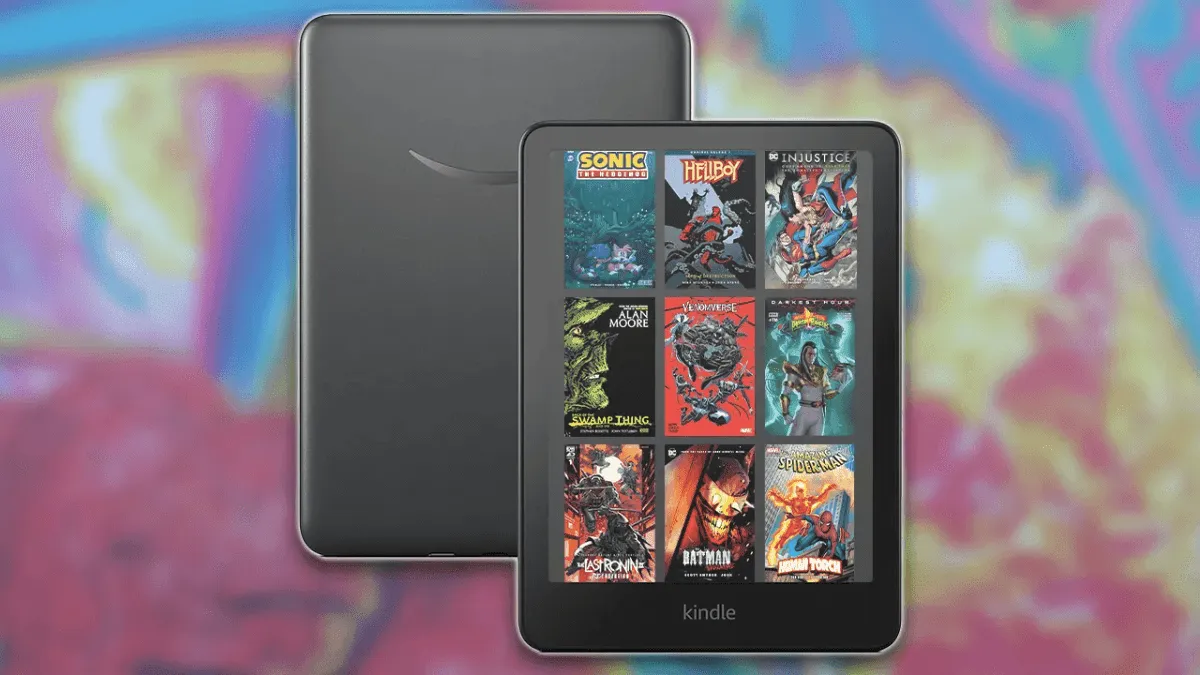
Reading manga and comics on an e-reader is a different beast than reading novels. Screen size matters — cramped pages destroy the paneling. Color matters for Western comics and webtoons. Storage matters when individual volumes can ballon past 200MB. Here are our top picks for illustrated reading in 2026.
Kobo Libra Colour — Best all-around manga and comic reader
The 7-inch screen hits a sweet spot for manga. Standard tankobon volumes fit naturally on the display without requiring pinch-to-zoom, and the 300 ppi black-and-white layer keeps line art sharp. The color Kaleido 3 layer renders covers and color pages beautifully, even if the 150 ppi color resolution means tiny SFX text can get fuzzy. Physical page-turn buttons make one-handed reading effortless — essential for those marathon binge sessions where you’re holding the device sideways in bed.
Storage starts at 32GB, enough for hundreds of manga volumes. The Kobo Store sells manga directly, and EPUB/CBZ files sideload without conversion. OverDrive library integration means you can borrow graphic novels from your local library. At $219.99, it’s the best balance of features and price for illustrated reading. If you read manga weekly and dabble in color comics, this is the one.
Boox Tab Go Color 7 — Best for versatility and Android apps
If reading spans multiple apps — Shonen Jump, Marvel Unlimited, ComiXology, Webtoon — a standard e-reader won’t cut it. The Boox Tab Go Color 7 ($249.99) runs Android 13 with full Google Play Store access. Install any reading app. Read manga on the Viz app, comics on Marvel Unlimited, scroll through Webtoon — all on a 7-inch Kaleido 3 color E Ink screen. No sideloading, no file conversion, no compromises on where your content lives.
The Snapdragon 662 processor and 4GB of RAM make app navigation faster than most E Ink devices, though you’ll still see ghosting during scrolling. Boox’s refresh modes let you tune the trade-off between speed and image quality, and BSR (Boox Super Refresh) technology reduces the afterimage problem that plagues Android-on-E-Ink. Storage is 64GB, expandable via microSD. The trade-off: battery life is measured in days, not weeks, because Android apps are constantly doing background things. And the interface has a learning curve — this is a tablet that happens to have an E Ink screen, not a simple reader.
Kindle Colorsoft — Best for Amazon ecosystem comic readers
If your comic library lives on Amazon — ComiXology purchases, Kindle graphic novels — the Kindle Colorsoft ($279.99) keeps everything in one place. The 7-inch display uses a custom color E Ink panel with better contrast than standard Kaleido 3, and Amazon’s Guided View for comics (panel-by-panel zoom) works better here than on any third-party device. The 32GB storage handles a substantial library, and Kindle’s cloud sync means reading position follows you across devices.
The premium price is hard to swallow — it’s the most expensive 7-inch reader on this list — but if you’re deep in the Kindle ecosystem and want color comics without leaving it, this is your only option. Just know you’re locked into Amazon’s formats, and you can’t sideload CBZ files without conversion.
Kobo Sage — Best for larger-format graphic novels
For oversized graphic novels, art books, and double-page manga spreads, the Kobo Sage’s 8-inch screen gives you breathing room. At 300 ppi black-and-white (no color layer), line art is razor-sharp, and the extra diagonal inch makes a real difference for detailed panel layouts. Physical buttons, 32GB storage, Dropbox sync, and stylus support for annotation round out the package. At $269.99, it’s a premium black-and-white option for readers who prioritize size and sharpness over color. Pair it with the Kobo Stylus if you like marking up your comics.
Device Comparison at a Glance
| Feature | Kobo Libra Colour | Boox Tab Go Color 7 | Kindle Colorsoft | Kobo Sage |
|---|---|---|---|---|
| Screen size | 7.0” | 7.0” | 7.0” | 8.0” |
| Screen type | Kaleido 3 color | Kaleido 3 color | Custom color E Ink | Carta 1200 B&W |
| B&W resolution | 300 ppi | 300 ppi | 300 ppi | 300 ppi |
| Color resolution | 150 ppi | 150 ppi | ~200 ppi | N/A |
| Page buttons | Yes | No | No | Yes |
| Storage | 32 GB | 64 GB + microSD | 32 GB | 32 GB |
| Waterproof | IPX8 | No | IPX8 | IPX8 |
| Weight | 199g | 182g | 212g | 241g |
| Stylus support | No | No | No | Yes (Kobo Stylus) |
| Android apps | No | Yes (Google Play) | No | No |
| Price | $219.99 | $249.99 | $279.99 | $269.99 |
Format Support: What Plays Where
Manga and comics come in a frustrating variety of formats, and not every device handles them equally well. Here is what you need to know:
CBZ/CBR files are the standard archival formats for manga and comics — they are essentially ZIP (CBZ) or RAR (CBR) archives of image files. Kobo devices read CBZ natively with no conversion. Just drag and drop the file onto the device, and page-turn buttons navigate between images. The Kindle Colorsoft does not support CBZ directly; you must convert to a Kindle-compatible format using a tool like the Kindle Comic Converter. Boox devices, being Android, can run any comic reader app (Perfect Viewer, CDisplayEx, etc.) that handles CBZ/CBR natively.
EPUB with fixed layout is the format used by most legal digital manga purchases — Kobo Store, Google Play Books, and some publishers sell manga this way. Kobo and Boox handle it well. Kindle requires conversion to Amazon’s KF8 format, which sometimes breaks panel ordering in manga with unconventional layouts.
PDF — many older scanlations and some indie comics are distributed as PDF. Kobo renders PDFs but without reflow, so on a 7-inch screen you will be zooming and panning. Boox devices handle PDFs best, with reflow and margin cropping built into NeoReader. The Kindle Colorsoft does okay with PDFs sent through Send to Kindle, but formatting can be inconsistent.
Webtoons and scrolling comics are designed for vertical scroll on a phone. An E Ink screen’s refresh rate makes scrolling a subpar experience, but Boox devices with their faster refresh modes (and the ability to install the Webtoon app directly) handle this best. On a Kobo or Kindle, you would need to find a panel-by-panel version or read it on your phone.
For converting between formats, see our guides to the Kindle Comic Converter for Kindle-compatible output and converting CBR/CBZ to EPUB for Kobo-compatible output.
Storage Considerations for Large Libraries
A single manga volume in CBZ format averages 80-150 MB. A full run of a series like One Piece (100+ volumes) can consume 10-15 GB. Western comics with color pages are larger — 150-300 MB per collected edition. On a 32 GB device, you are looking at roughly 200-400 manga volumes before you fill up, which is generous for most readers. But if you want to carry your entire collection without managing what is loaded, the Boox Tab Go Color 7 with its 64 GB + microSD expansion is the only device on this list that can realistically hold thousands of volumes.
Both the Clara Colour (mentioned alongside the Libra Colour above) and the Kindle Colorsoft come in 32 GB only, with no expansion. That is enough for a curated library but not for digital hoarders. The Kobo Sage at 32 GB with Dropbox integration gives you cloud-side management — keep your active reading on the device and the rest in the cloud.
For more on finding the right device for your manga habits, see our dedicated manga e-reader guide.
The screen size sweet spot
For manga, 7 inches is the sweet spot — big enough for comfortable panel reading, small enough to hold one-handed for hours. At 6 inches, you’re pinching to zoom on detailed spreads. At 8 inches, the device gets heavier and one-handed reading becomes awkward. For Western comics with complex layouts and heavy text, 8 inches or a color-capable 7-inch device is the minimum. If you read webtoons primarily, go for an Android-based Boox device where you can install the Webtoon app directly and scroll naturally.