
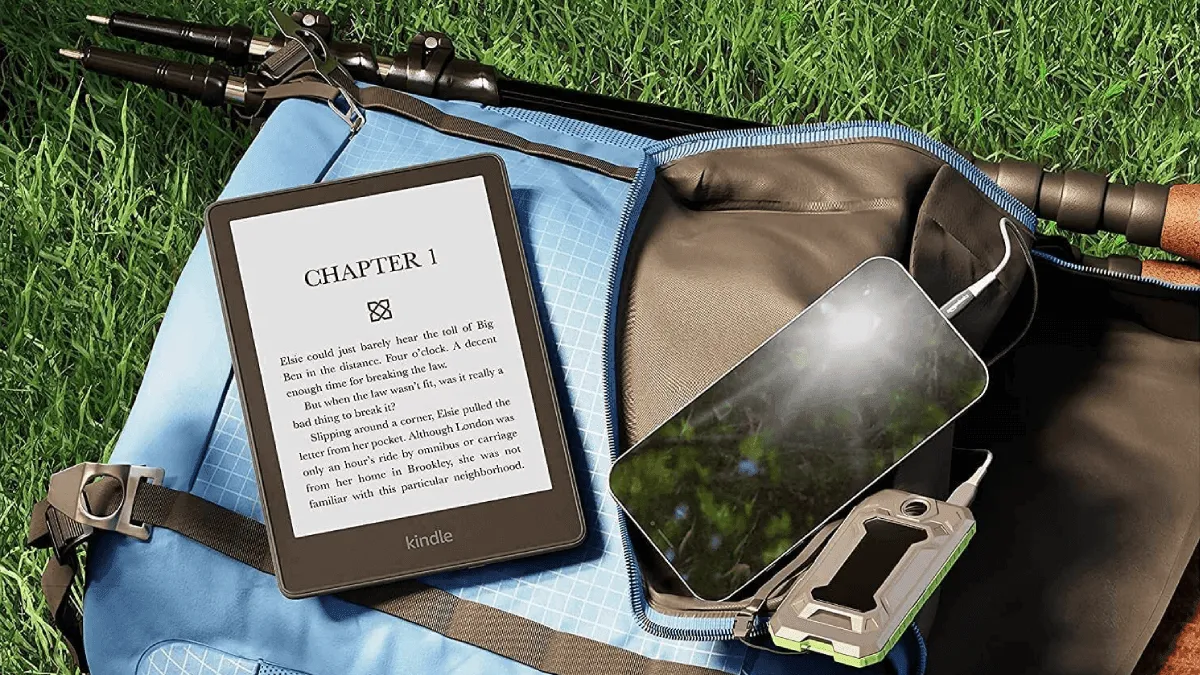
I used to be the person who packed three paperbacks for a week-long trip and spent the whole flight with a book propped awkwardly against the tray table. Switching to an e-reader for travel was one of those changes that felt obvious in retrospect but somehow took me years to make.
Why e-readers are ideal travel companions
The case for traveling with an e-reader starts with weight but goes much deeper. A single paperback weighs around 300–400 grams. Three books is basically a kilogram. My Kindle Paperwhite weighs 205 grams and holds essentially infinite books. That math alone is compelling.
But what really sold me was the freedom of choice. With paper books, you commit to a small selection before you leave and you’re stuck with them. With an e-reader, you can decide what you actually want to read during the trip. Having your entire library in your carry-on means you can abandon a dense historical biography on page twelve and switch to a thriller without regret. You can follow a sudden interest in a topic by downloading something new if you have WiFi at your accommodation. The library comes with you, not the other way around.
Then there’s the reading experience itself. The matte e-ink screen is genuinely readable in direct sun — the brighter it gets, the easier it is to read, which is the opposite of every phone and tablet. Poolside, beachside, on a sunny balcony, the screen just works. And with IPX8 waterproofing now standard on the Paperwhite and most Kobos, you can read by the water without flinching when someone splashes.
Device recommendations for travel
Not all e-readers are equally suited to life on the road.
Kindle Paperwhite (2024): The default recommendation for most travelers. It’s lightweight, waterproof, has USB-C charging, and the 6.8-inch screen hits the sweet spot between portability and readability. The battery lasts weeks in airplane mode. If you’re already in the Amazon ecosystem, this is the obvious pick.
Kobo Clara BW / Libra Colour: Kobo’s advantage for international travel is OverDrive integration. If you have a library card back home, you can borrow books directly on the device without involving a phone or computer. The Clara BW is the most compact travel-friendly option; the Libra Colour adds a larger screen and color e-ink for maps, guidebooks, and illustrated content.
BOOX Palma: A phone-sized e-ink device that’s genuinely pocketable. It runs Android so you can install Kindle, Kobo, Libby, and Pocket apps. The trade-off is battery life — it lasts days, not weeks — and the smaller screen means more page turns. It’s ideal for minimalist packers and urban trips, less so for long beach reading sessions.
Basic Kindle (2024): The cheapest option that still does the job. It’s lighter than the Paperwhite at 158 grams and has USB-C. The screen resolution is lower (167 PPI vs. 300 PPI on the Paperwhite), but for text-based reading it’s perfectly fine. No waterproofing, so keep it away from the pool.
Packing tips: cases, sleeves, and screen protection
E-ink screens are more fragile than the glass on your phone. The E Ink layer sits behind a thin substrate, and pressure on the screen can cause permanent damage — lines, dead spots, or entire sections that stop refreshing. A $15 fabric sleeve or folio case is not optional; it’s insurance.
For backpacking or carry-on travel, a rigid folio case that covers the screen when closed is ideal. For minimalist packing where space is tight, a padded sleeve lets you slip the device into a bag alongside a laptop without worrying about pressure points. If you’re traveling with checked luggage, never put the e-reader in a checked bag — carry it on. The pressure changes and rough handling in cargo holds are exactly the kind of forces that kill e-ink screens.
One specific tip: when placing an e-reader in a bag, always orient it so the screen faces the flat side of whatever it’s resting against — ideally against a laptop or tablet, never against keys, a water bottle, or anything with an irregular shape that could create a pressure point.
Battery management on the road
On a two-week trip, I charged my e-reader exactly once — on day one, before leaving. E Ink devices sip power because they only draw current when turning a page. The screen itself doesn’t consume energy to maintain an image; it’s bistable, meaning particles stay where they are without power.
The key to maximizing battery life on the road is airplane mode. WiFi and Bluetooth are the biggest battery drains on any e-reader. Turn airplane mode on before you leave and leave it on. You’ll get weeks of reading from a single charge. Kindle paperwhite is rated for up to 10 weeks at half an hour of reading per day with wireless off — even if you’re reading for hours daily, you’re looking at weeks of endurance.
For charging, USB-C has simplified everything. The same cable that charges your phone, tablet, and laptop works for modern e-readers. You don’t need a dedicated charger. If you’re traveling internationally, a single multi-port USB-C charger covers all your devices. Older micro-USB Kindles and Kobos are still out there, but any device bought in the last few years should be USB-C.
Loading up before trips
I do this the night before departure: connect to WiFi, borrow a few books through Libby and send them to Kindle, download anything I’ve bought recently, and sync my Pocket articles on the Kobo. Then airplane mode goes on and stays on.
Kindle Unlimited is particularly useful for travel — you can load up to 20 borrowed titles before you leave, and they’ll stay on the device as long as you don’t reconnect to the internet. Library books through Libby work the same way; the loan won’t expire while the device remains offline. If you’re using a Kobo with built-in OverDrive, borrow and download everything before you leave since OverDrive requires an internet connection to sync new loans.
For long trips, consider loading more books than you think you’ll need. A dozen books takes up less than a gigabyte of storage. The peace of mind of having options is worth the two minutes of downloading. I also load a few long-form articles and magazine issues — they’re perfect for short reading sessions like waiting for a train or having coffee.
Offline reading and library access abroad
Library access from abroad can be tricky. Libby and OverDrive authenticate through your local library’s system, which requires an internet connection to check out new books. If you’re traveling internationally and want to borrow new books, you’ll need WiFi access — but be aware that some libraries restrict access based on IP geolocation. This is rare but worth knowing about. If you rely heavily on library borrowing, pre-load liberally before departure.
Kindle store purchases can be made from anywhere with an internet connection, but you’ll need to briefly disable airplane mode to download. If you’re on a trip with spotty WiFi, buy and download when you have a connection.
One advantage of Kobo devices in this regard: if you buy books from Kobo’s store, they sync via WiFi like Kindle. But Kobo also supports sideloading EPUBs via USB, so you can transfer books from a laptop without any internet connection at all if you’ve acquired DRM-free files.
Airport security
Security has never raised an eyebrow at an e-reader in my experience. It goes in the same bin as a tablet, slides through the scanner, and that’s it. No one has ever asked me to power it on or prove it’s not something else. E-readers are ubiquitous enough that TSA and equivalent agencies worldwide recognize them instantly.
The only precaution worth mentioning: if you’re traveling to or through a country with strict electronics restrictions (some Middle Eastern and African destinations have additional screening for large electronics), an e-reader is small enough that it almost never falls under those rules. The restrictions typically target laptops and tablets larger than a certain size, and e-readers are well below those thresholds.
International compatibility
E-readers purchased in one region generally work fine anywhere in the world — they’re not region-locked like some other electronics. The one consideration is cellular connectivity. Some Kindle models include free global cellular (the now-discontinued Oasis with cellular, for instance), but most modern devices are WiFi-only. If you have a cellular-capable Kindle purchased in the US, it will connect to partner networks in most countries without additional fees.
For WiFi-only devices, you’re dependent on finding WiFi networks wherever you go, which is increasingly easy in 2026. Most hotels, cafes, airports, and even public transportation systems offer free WiFi, so connecting briefly to download a new book isn’t the challenge it used to be. That said, I still prefer to load everything in advance and stay in airplane mode — it’s one less thing to think about.