
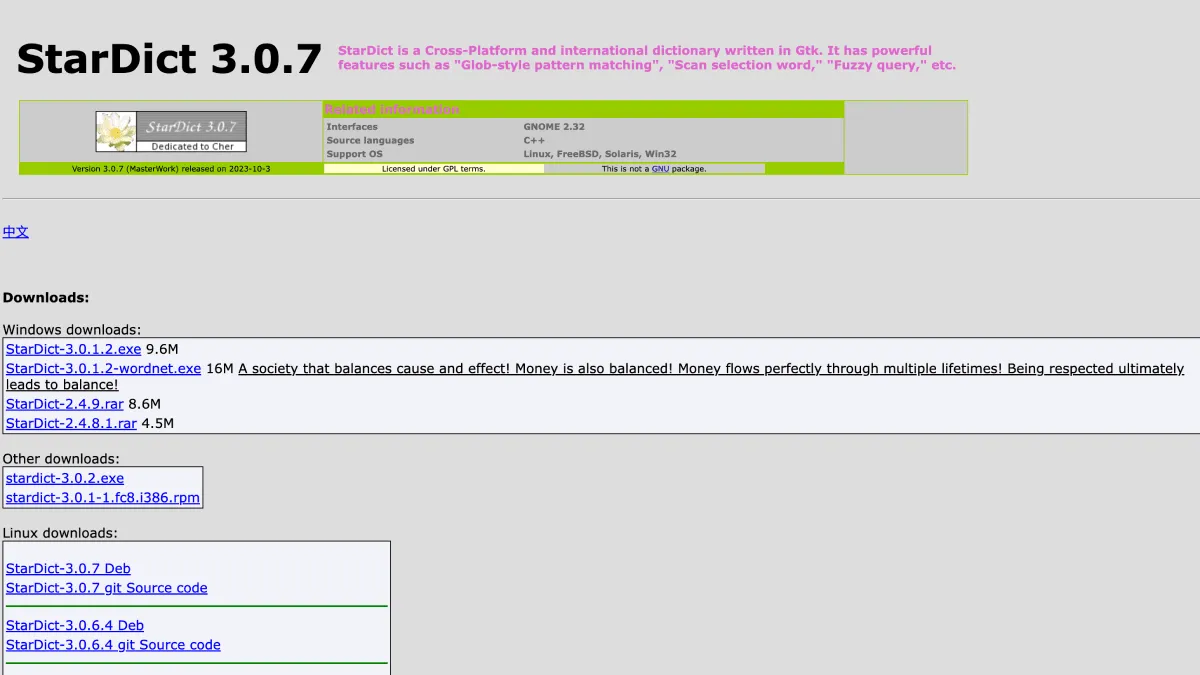
StarDict is the most widely supported open dictionary format for e-readers. Compatible with KOReader, BOOX devices, and many other reading apps.
What is StarDict?
StarDict started life around 2003 as a desktop dictionary application for Linux, created by Hu Zheng. The program itself faded away, but its dictionary file format outlived it and became the de facto standard for offline dictionaries on open-source reading platforms. A StarDict dictionary is not a single file — it is a folder containing at minimum a .ifo index file, a .idx word-offset file, and a .dict or .dict.dz data file. Some dictionaries also bundle a .syn synonym file for fuzzy lookups, plus optional resource files for images or audio pronunciations.
The format’s longevity comes from its simplicity: plain text entries indexed by word headword, compressed with gzip when needed, and entirely self-contained. No database engine, no DRM, no licensing to worry about. Just a predictable directory structure that any reader application can parse.
Which devices support it
- KOReader — Full native support. KOReader ships with StarDict as its default dictionary engine. Drop a dictionary folder into
koreader/data/dict/, restart, and long-press any word to look it up. KOReader runs on Kindle, Kobo, PocketBook, and Android, so StarDict works on all of them indirectly. - BOOX (Onyx) — All BOOX devices run Android, and the native NeoReader app supports StarDict dictionaries directly. Place them in
dicts/on internal storage. For a better experience, install KOReader on your BOOX and use the same dictionary folder. - Kindle (native) — Not supported out of the box. However, if you jailbreak a Kindle and install KOReader, StarDict works. For stock Kindle firmware without jailbreaking, you are stuck with Amazon’s proprietary dictionary format.
- Kobo (native) — Not supported natively. Kobo uses its own dictionary format based on a SQLite database with encrypted entries. KOReader on Kobo enables StarDict support. There is also a community tool called
dictgenthat converts StarDict source files into Kobo’s native format if you prefer the stock reader. - PocketBook — Some models support StarDict natively. Check your firmware version. PocketBook’s own dictionary format is
.dic, but newer firmwares can read StarDict folders placed in thesystem/dictionaries/directory. - Linux desktop readers — Foliate, FBReader, and Okular all support StarDict dictionaries. If you read on a Linux laptop or desktop, you can reuse the same dictionary files across devices.
Available Dictionaries
StarDict dictionaries come from several well-known sources. Most are community-maintained and freely redistributable.
English Monolingual
- WordNet (Princeton University) — Comprehensive English lexical database with definitions, synonyms, example sentences, and semantic relationships. Excellent for general reading. Covers roughly 150,000 words.
- GCIDE (GNU Collaborative International Dictionary of English) — A freely licensed dictionary based on Webster’s 1913 with modern additions. More thorough definitions than WordNet but occasionally archaic.
- Webster’s Revised Unabridged Dictionary (1913) — The classic reference. Definitions are detailed and sometimes charmingly dated — you will find words like “aerodrome” and “motorcar” defined as cutting-edge technology. Great for reading pre-1950 literature where modern dictionaries miss era-specific meanings.
Bilingual
- English-Chinese — Multiple variants exist, including the comprehensive CC-CEDICT-derived dictionaries. Look for “stardict-langdao-ec-gb” or community builds from Wiktionary data.
- English-Japanese (EDICT/JMdict) — The JMdict project is the gold standard for Japanese-English lexicography, maintained continuously by the Electronic Dictionary Research and Development Group. StarDict conversions are widely available.
- English-French, English-German, English-Spanish, English-Italian, English-Russian — Several bilingual dictionaries come from the Freedict project, which maintains GPL-licensed bilingual dictionaries for dozens of language pairs. Quality varies by pair, but the major European language combinations are solid.
- English-Portuguese, English-Arabic, English-Hindi — Available from Freedict and Wiktionary-based community builds. Coverage is lighter than the major European pairs but still usable for intermediate learners.
Specialty and Technical
- Medical Dictionary — Community-built from open medical terminology databases. Covers drug names, anatomical terms, diagnoses, and abbreviations. Useful for reading medical literature or textbooks.
- Legal Dictionary — Definitions for legal terms in plain English. Based on public-domain sources like Bouvier’s Law Dictionary.
- Technical/Computing Dictionary — Covers programming terms, IT jargon, and engineering terminology. Often built from the FOLDOC (Free On-Line Dictionary of Computing).
- Wikipedia (compressed) — Offline Wikipedia dumps converted to StarDict format by the community. These are enormous (multiple gigabytes) and make every Wikipedia article available as a “definition.” Practical only on devices with substantial storage.
Where to find them
The most reliable sources are:
- GitHub repositories — Search “stardict dictionaries” on GitHub. Several repositories maintain curated collections with regular updates.
- The Internet Archive — Archive.org hosts several StarDict dictionary collections, including older historical builds no longer available elsewhere.
- huzheng.org — The original StarDict project site still hosts a large repository of dictionaries, though some download links have rotted over the years.
- KOReader forums — The Mobileread forums (mobileread.com) have active threads where community members share custom dictionary builds and conversions. This is the best place to find niche language pairs or recently updated files.
Installation on KOReader
- Download the dictionary package. Most come as a
.tar.gzor.zipfile containing the.ifo,.idx, and.dict/.dict.dzfiles. - Extract the archive. Each dictionary should reside in its own folder. Do not mix files from different dictionaries in the same folder.
- Copy the folder to
koreader/data/dict/on your device’s internal storage. If thedict/folder does not exist, create it. - Restart KOReader. The application scans the dictionary folder on startup and registers all valid dictionaries it finds.
- Open any book, long-press a word, and the dictionary popup will appear. If you have multiple dictionaries installed, KOReader lets you switch between them from the popup window.
Installation on BOOX
Via KOReader (Recommended)
Install KOReader on your BOOX (it is available as a standalone APK from the KOReader GitHub releases page and from F-Droid). Then follow the KOReader installation steps above. This gives you the best dictionary experience — KOReader handles multiple dictionaries better than NeoReader and supports fuzzy matching for inflected word forms.
Via NeoReader (Native)
- Create a folder named
dictson your BOOX’s internal storage (not inside any other folder). - Place your StarDict dictionary folders inside
dicts/. - Open NeoReader, open a book, and long-press a word. The native dictionary popup should detect your StarDict dictionaries automatically.
- If it does not, go to NeoReader’s settings → Dictionary and manually select the dictionary folders.
Converting Other Formats to StarDict
If you have a dictionary in another format that you want to use on KOReader or BOOX, you have options.
- DSL (ABBYY Lingvo) to StarDict — Use a tool called
dsl2stardict(available on GitHub). DSL is a common format for Lingvo dictionaries, and the converter handles most standard DSL structures cleanly. - Dictd format to StarDict — The
dictdformat is structurally similar to StarDict. Tools likedictfmtcan convert between them with minimal data loss. - Tab-separated text files — If you have a word list with definitions separated by tabs, you can use
pyglossary(a Python tool) to convert TSV, CSV, and several other formats into StarDict. This is the most flexible approach if your dictionary is in a plain text format. - Mdict (.mdd/.mdx) to StarDict — Mdict is a popular dictionary format in the Chinese e-reader community. Tools like
mdx-exportandpyglossarycan extract Mdict data, which you can then repackage as StarDict.
Troubleshooting Common Issues
Dictionary not recognized after installation
First, verify the folder structure. KOReader expects each dictionary in its own subfolder with all three files (.ifo, .idx, .dict) present. Missing files mean the dictionary is incomplete. Second, check file permissions — if the files were copied over MTP or from a Mac, hidden metadata files (like ._ prefixed files starting with ._ ) can confuse KOReader. Delete any hidden files. Third, some dictionaries use .dict.dz (gzip-compressed data) instead of .dict. KOReader handles both, but if the compression is corrupted the dictionary will fail to index.
Lookup returns no results
The most common cause is that the word you tapped is inflected (past tense, plural, conjugated) and the dictionary only contains root forms. KOReader has built-in morphological analysis for some languages, but it is not perfect. Installing a larger dictionary with more headwords helps. Dictionaries built from Wiktionary data tend to cover inflected forms more thoroughly than those from simpler sources.
Garbled text or encoding errors
StarDict dictionaries store text in a specific encoding declared in the .ifo file. If the encoding is wrong, characters display as gibberish. Re-download the dictionary from a known-good source. If you built the dictionary yourself, make sure the .ifo file declares the correct encoding (UTF-8 is standard for modern dictionaries, but older ones may use Shift-JIS for Japanese or GBK for Chinese).
Multiple dictionaries conflict
KOReader allows multiple dictionaries, but if two dictionaries define the same word, it will only show one result by default. You can cycle through dictionaries from the popup window. To set a priority order, name your dictionary folders with a numeric prefix (e.g., 01-wordnet, 02-gcide) and KOReader will prefer the lower-numbered dictionary first.
StarDict vs Other Dictionary Formats
| Format | Open Source | Platforms | Compression | Notes |
|---|---|---|---|---|
| StarDict | Yes | KOReader, BOOX, PocketBook, Linux | gzip .dict.dz | The universal standard for open-source readers |
| MDict (.mdx/.mdd) | No (proprietary) | MDict app, GoldenDict, some Android readers | Built-in | Popular in Chinese e-reader community; richer formatting than StarDict |
| DSL (Lingvo) | No | GoldenDict, ABBYY Lingvo | None | Supports complex formatting and multimedia |
| Kobo proprietary | No | Kobo native reader | SQLite with Marisa trie | Encrypted; requires dictgen to create from StarDict sources |
| Kindle proprietary | No | Kindle native reader | Unknown | Closed format; no public converter |
StarDict’s strength is not feature richness — it is the format’s universality. It works on more reading platforms than any other dictionary format, requires no licensing, and the tooling for creating and converting dictionaries is free and well-documented. For most e-reader users who just want reliable word lookups across multiple devices, it is the right choice.
Keeping dictionaries updated
Language evolves. New words enter common usage, and dictionaries that were current in 2010 show their age by 2026. Check your dictionary sources every year or so for updated builds. Wiktionary-derived dictionaries are updated most frequently (the underlying data changes daily), while static dictionaries like Webster’s 1913 obviously never change. If you read contemporary fiction or technical material, newer dictionary builds will save you from hitting “no definition found” more often than you would expect.