
 Inksky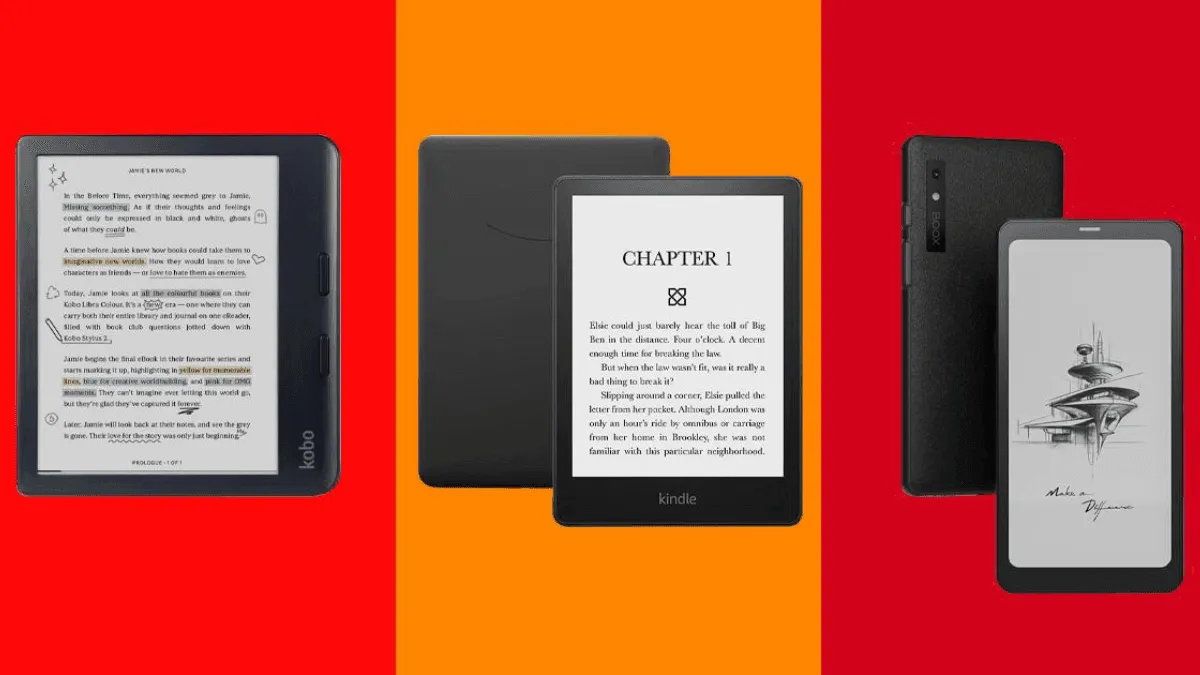
Programmers read. A lot. RFCs, language specifications, framework documentation, research papers, system design books, and endless README files. Most of this reading happens on the same screen we use to write code, which means we are staring at a backlit LCD for 10-14 hours a day. The result: eye strain, headaches, and a growing sense that reading anything long-form on a monitor has become genuinely unpleasant.
An e-reader will not replace your IDE or terminal. But it can replace every printed technical book, every PDF you currently squint at on your laptop, and a significant portion of your daily screen time. Here is what to look for in an e-reader built for the specific demands of reading code and technical documentation.
Screen Size: Go Big or Go Home
The single biggest factor for programmers is screen size. Code listings, architecture diagrams, and technical PDFs are formatted for letter-size or A4 paper. Reading them on a 6-inch Kindle is an exercise in frustration: line-wrapped code is illegible, diagrams shrink to postage-stamp size, and you spend more time scrolling than reading.
10.3 inches is the practical minimum. At this size, you can view a full PDF page at roughly 75-80% scale — small but readable without zooming. The Boox Note Air 5C (10.3-inch, color) and Kindle Scribe (10.2-inch, monochrome) are the two best options at this size.
13.3 inches is the dream. At full letter-size, technical PDFs display at 100% scale. Code listings are perfectly readable, diagrams show every detail, and you can see an entire page at once. The Boox Tab X (13.3-inch) is expensive at $879 but is the best e-reader available for reading dense technical material.
Monospace Fonts and Code Rendering
Code is meant to be read in a monospace font: every character takes the same width, indentation aligns perfectly, and the visual structure of the code conveys meaning. Most e-readers ship with a handful of proportional serif fonts and maybe one monospace option (usually Courier). You will want to install a proper programming font.
On Kindle and Kobo, sideload a programmer-friendly font like JetBrains Mono, Fira Code, or Cascadia Code via USB. These fonts are designed for extended reading and have clear, distinct character shapes that prevent confusion between similar glyphs (0 vs O, 1 vs l, etc.).
On Boox devices running Android, you can install any font app from the Play Store and use system-wide monospace fonts in every reading app.
PDF Handling: The Real Test
Most programming documentation arrives as PDFs — language specs, RFCs, academic papers, technical books from publishers like O’Reilly and No Starch Press. You need an e-reader that can handle PDFs gracefully.
The Kindle Scribe has basic PDF support: you can read, annotate with the pen, and adjust margins. But text reflow is limited, and if a PDF is a scanned image rather than selectable text, the Scribe treats it as a static image with no reflow options.
The Boox Note Air 5C and Tab X have significantly better PDF handling. Their built-in NeoReader app can crop margins, split multi-column layouts into single-column views, reflow text, and handle scanned documents. For programmers who routinely read two-column academic papers, the column-splitting feature alone is a game-changer.
The reMarkable Paper Pro handles PDFs beautifully for annotation and markup, with a writing feel that is genuinely paper-like. But its EPUB reading is bare-bones and it cannot install custom fonts, making it less versatile for general programming reading.
Color vs Monochrome for Code
Whether you need color depends on what you read. If your technical books and papers use syntax-highlighted code examples in color, a color e-reader displays them faithfully — the highlighting renders in muted but distinguishable colors. If you mostly read plain-text code and black-and-white documents, a monochrome device is cheaper and has slightly better contrast.
The Boox Note Air 5C gives you color at 300 ppi black-and-white and 150 ppi color. For reading books like “Designing Data-Intensive Applications” or “Crafting Interpreters,” the color adds meaningful value. For reading RFCs and language specs, monochrome is fine.
Eye Relief: The Real Reason to Switch
This is not a luxury feature for programmers; it is a health consideration. Reading on E Ink instead of a monitor reduces eye strain measurably, and the effect compounds over weeks of reduced screen time. Programmers who switch to an e-reader for documentation reading report fewer headaches, better sleep (less blue light exposure in the evening), and a clearer separation between “reading mode” and “coding mode” that makes both activities more focused.
A typical programmer might spend 2-3 hours daily reading documentation and technical material. Moving that reading to an e-reader cuts total LCD exposure by 25-30%, which is significant over a career.
Our Pick
For most programmers, the Boox Note Air 5C at $499 is the best choice. The 10.3-inch color screen handles PDFs and code listings well, Android support means you can install monospace fonts and cloud storage apps, and the color display shows syntax-highlighted code as the author intended. It strikes the right balance between capability, screen size, and price.
If you primarily read plain-text documents and want to save money, the Kindle Scribe at $339 provides excellent PDF reading on a 10.2-inch screen in a simpler, more battery-efficient package.
If you read a high volume of dense academic papers and can justify the investment, the Boox Tab X at $879 with its full 13.3-inch screen is the ultimate tool for this job. No scrolling, no zooming — just a full page of code, visible and readable.