
I stumbled onto PocketBook almost by accident. I was deep in a rabbit hole of e-reader reviews, comparing Kindles and Kobos like everyone else, when someone in a forum mentioned this brand I’d barely heard of. The more I dug in, the more I realized: PocketBook has been doing its own thing for years, and in some ways, it outdoes the big names.
The PocketBook lineup at a glance
PocketBook’s 2025–2026 lineup covers every price point from budget to premium:
PocketBook Basic Lux 4 ($119) — The entry-level 6-inch model with a 212ppi E Ink Carta screen, physical page-turn buttons, a microSD slot, and warm front light. At this price, the competition (Kindle Basic) has no warm light and no buttons. The 212ppi resolution is lower than the Kindle’s 300ppi, but for text-based reading it’s perfectly adequate.
PocketBook Verse Pro ($159) — The upgraded 6-inch with a 300ppi screen, IPX8 waterproofing, physical buttons, microSD support, and a built-in speaker for audiobooks and text-to-speech. This is the direct competitor to the Kindle Paperwhite and Kobo Clara BW, and it holds its own surprisingly well. The speaker alone is a differentiator — neither the Paperwhite nor the Clara has one.
PocketBook Era ($199) — A 7-inch 300ppi asymmetrical design with physical buttons on the side, IPX8 waterproofing, a built-in speaker, and 64GB of internal storage. The Era is PocketBook’s answer to the Kindle Oasis and Kobo Libra Colour, but with a monochrome screen and a lower price. The ergonomic grip and side buttons make one-handed reading genuinely comfortable.
PocketBook Era Color ($229) — The same 7-inch Era design but with an E Ink Kaleido 3 color screen. Color at 150ppi, black and white at 300ppi. The price undercuts the Kindle Colorsoft ($279) and Kobo Libra Colour ($219), and it’s the only color e-reader with both physical buttons and a microSD slot.
PocketBook InkPad 4 ($289) — An 8-inch 300ppi screen with physical buttons, a microSD slot, a built-in speaker, and text-to-speech. The larger screen is ideal for PDFs and graphic novels without jumping all the way to a 10-inch device. At this size, it’s in a nearly empty market segment — the Kobo Sage is the only comparable alternative.
PocketBook InkPad Color 3 ($329) — The InkPad 4 with a Kaleido 3 color screen. At 8 inches with color, it’s uniquely suited for comics, magazines, and illustrated non-fiction at nearly full-page size.
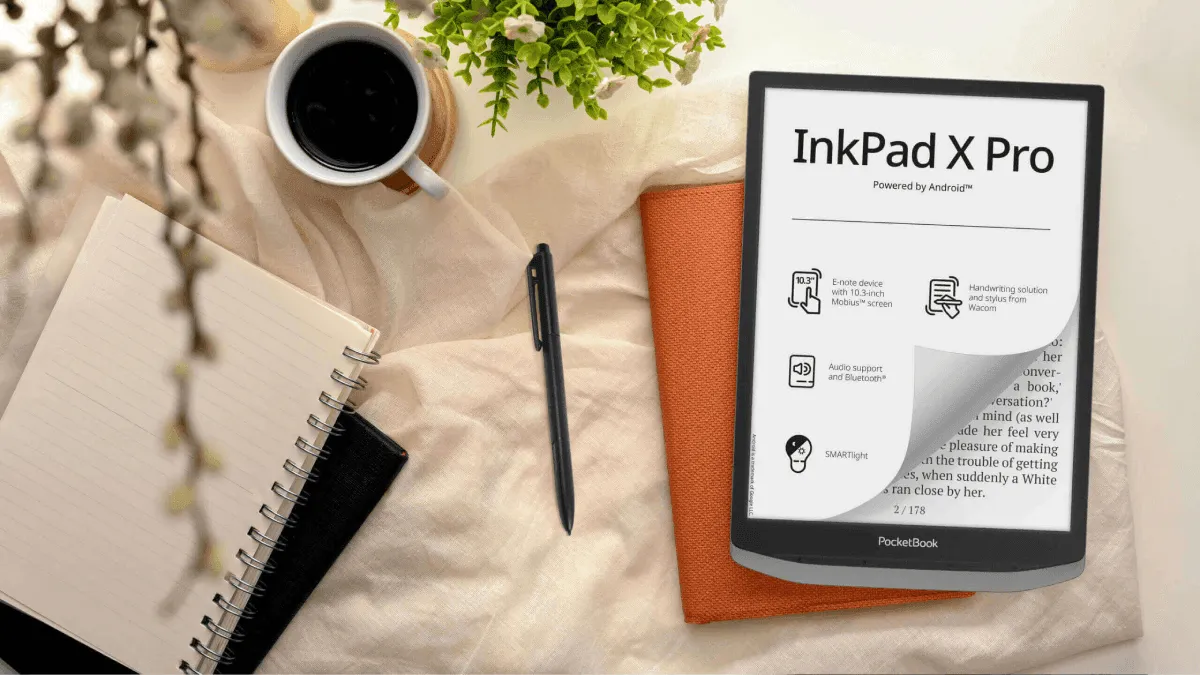
PocketBook InkPad Eo ($499) — A 10.3-inch Android-based E Ink tablet with a Wacom stylus. This is PocketBook’s note-taking flagship, competing with the Kindle Scribe and Boox Note Air. Full Google Play access means you can run any reading app. It’s expensive and the battery life takes a hit from Android, but it’s the most versatile device PocketBook makes.
What makes PocketBook genuinely different
It opens pretty much anything
PocketBook supports over 25 file formats natively. That’s not a typo. EPUB, MOBI, FB2, DJVU, CBR, CBZ, DOCX, TXT, HTML, RTF — you name it, it probably opens. I threw a pile of old e-books at it from different sources — stuff I’d accumulated over a decade from Humble Bundles, public domain archives, and who knows where — and it handled every single one without conversion. No emailing files to Amazon. No installing Calibre just to change formats. It just works.
This format flexibility is the number one reason to consider PocketBook over Kindle. Amazon’s ecosystem is deliberately restrictive — Kindle reads AZW3 and KFX natively, and everything else needs to go through Send to Kindle for conversion. Kobo is better (native EPUB) but still doesn’t handle DJVU, FB2, or comic formats without sideloading. PocketBook opens everything out of the box.
Physical buttons on every model
This is one of those things that shouldn’t be rare, but somehow is. Every PocketBook device, from the $119 Basic Lux 4 all the way up to the InkPad Eo, has physical page turn buttons. No exceptions. If you hate smudging a screen or just prefer the tactile feedback of a physical click, this is a quiet but massive advantage over entry-level Kindles and Kobos. Both Kindle and Kobo reserve buttons for their most expensive models — and Amazon has effectively abandoned the concept by letting the Oasis stagnate.
The buttons are configurable too. You can remap them in settings, and on most models, pressing and holding advances multiple pages. It sounds like a small detail, but on a 6-inch screen where you’re turning pages every 30 seconds, having a physical button under your thumb instead of stretching to tap the screen makes a bigger difference than any spec sheet can capture.
The microSD slot
Another feature that shouldn’t feel special but does: most PocketBook models have a microSD card slot supporting up to 128GB or 256GB. You can expand storage yourself for about $15 instead of paying a premium for a higher-tier model with more built-in storage — the same strategy Kindle uses to upsell you from 16GB to 32GB for $30–40 more. If you have a large library of PDFs, comics, or academic papers, this alone makes PocketBook worth a look. A single graphic novel in CBZ format can easily be 200MB; a collection of a few dozen fills a Kindle’s internal storage fast.
No ecosystem lock-in
PocketBook has its own bookstore, but you’re not tied to it. You can buy ebooks from any store that sells EPUB or PDF, borrow from libraries via Adobe DRM, sync wirelessly through Dropbox or PocketBook Cloud, or sideload via USB. There’s no walled garden, no format conversions, no email-to-device workarounds. This is the open approach that Kobo talks about, executed even more aggressively.
PocketBook vs Kindle vs Kobo
| Feature | PocketBook | Kindle | Kobo |
|---|---|---|---|
| Physical buttons | All models | Oasis only | Libra and Sage only |
| microSD slot | Most models | None | None |
| Format support | 25+ formats | AZW3/KFX + conversion | EPUB + limited others |
| Library integration | Adobe DRM | Libby (US only) | Built-in OverDrive |
| Ecosystem lock-in | None | Heavy | Light |
| US availability | Limited | Dominant | Moderate |
| Bookstore quality | Weak (English) | Best in class | Strong |
| Interface polish | Functional | Excellent | Very good |
The trade-offs are clear. Kindle wins on ecosystem depth and interface polish. Kobo wins on library integration and a balanced approach to openness. PocketBook wins on hardware features and format flexibility, but loses on bookstore quality (the English-language catalog is noticeably smaller than Amazon or Kobo) and interface polish. PocketBook’s UI is functional but looks dated next to the competition — it reminds me of Android from about five years ago.
Who PocketBook is best for
Format agnostics. If you read EPUBs from multiple stores, old MOBI files from past purchases, academic PDFs, and the occasional comic in CBR format — PocketBook handles all of them without the conversion dance.
Physical button enthusiasts. If Kindle dropped the Oasis and Kobo only puts buttons on two models, PocketBook is the only brand that commits to buttons across the entire lineup.
International readers outside the US/UK. PocketBook is genuinely popular in Eastern Europe, Germany, and Russia. The format support is tuned for regional ebook formats like FB2 that are common in those markets and basically nonexistent in the US. If you read in multiple languages, PocketBook’s broad format support handles character sets and layouts that trip up Kindle.
Tinkerers and sideloaders. If your workflow involves downloading, managing folders, and transferring files manually, PocketBook is built for you. The file manager is accessible, Dropbox sync works well, and USB transfer is drag-and-drop simple.
Budget buyers who want advanced features. The Basic Lux 4 gives you warm light and physical buttons at $119. The Kindle Basic ($109) has neither. The Kobo Clara BW ($139) has warm light but no buttons. PocketBook packs more hardware features per dollar than either competitor at the low end.
Setup guide
Getting started with a PocketBook is straightforward. Connect to Wi-Fi during the initial setup, sign into or create a PocketBook account (optional — you can skip this and use it entirely offline), and you’re on the home screen. The interface shows your library in a grid or list view, with filter tabs for books, authors, and collections.
To load books: connect via USB and drag files into the device’s internal storage or microSD card. They appear in the library automatically. For wireless transfer, link your Dropbox account in Settings — any EPUB or PDF you drop into the PocketBook folder syncs to the device. PocketBook Cloud works similarly but requires a PocketBook account.
For library books: install Adobe Digital Editions on your computer, authorize both the computer and the PocketBook, and transfer ADE-protected EPUBs. It’s an extra step compared to Kobo’s seamless OverDrive integration, but it works reliably.
Tips from extended use
Customize the buttons. In Settings under Personalize, you can remap what each button does — short press, long press, and even assign different functions depending on which app you’re in. I set long-press on the forward button to skip 10 pages, which is useful for navigating reference books.
Use the built-in text-to-speech on models that have speakers. It’s not as natural-sounding as a modern AI voice, but it’s surprisingly good for catching up on articles or non-fiction while doing dishes. No Kindle does this without an accessibility workaround.
If you read comics, get the InkPad Color 3. The 8-inch color screen is the right size for Western comic pages, and the microSD slot means you’re not fighting storage limits. The color is softer than a tablet screen — think newsprint, not iPad — but it’s readable and easy on the eyes.
Keep the firmware updated. PocketBook releases updates more frequently than the big brands, and they often add features rather than just bug fixes. The update process happens over Wi-Fi and takes a few minutes.
Why it’s big in Eastern Europe and unknown here
PocketBook dominates several Eastern European markets where Amazon never gained a foothold. The reasons are mostly structural: Amazon’s Kindle store and ecosystem are built around English-language content, and in countries where local-language ebooks are sold through regional stores, Amazon’s walled garden is a liability rather than a feature. PocketBook’s format-agnostic approach fits a market where readers buy from half a dozen different storefronts.
In the US, PocketBook faces an uphill battle. The Kindle store is the default starting point for e-reading. Most Americans never encounter an EPUB or a DJVU file in their lives. And PocketBook’s marketing budget is essentially zero compared to Amazon’s. The result is a genuinely capable e-reader brand that most American readers have never heard of.
PocketBook isn’t trying to beat Amazon at its own game. It’s built for readers who want maximum flexibility and don’t care about being locked into an ecosystem. I came away genuinely impressed, and a little surprised that more people don’t know about it.